Hoof Rasp Steel and Heat Treatment
Relia heat-treats steel hoof rasps in-house. Choose a material by exact catalogue model or agreed drawing, then define the required finished condition and how it is checked. When hardness decides acceptance, agree the scale, range, test area and record before approving a sample.
- Model choice
- Alloy steel, T12 and stainless variants
- Acceptance
- Finished hardness and test area
- Evidence
- Sample and order-specific records
Start With the Steel Named for the Model
Compare the supplied specification on the exact item you intend to buy. Use catalogue values as a starting point for the written order.
| Purchase reference | What to verify |
|---|---|
| Flat alloy-steel double-sided model | The catalogue states HRC 55–62 for this listing. Confirm the test area, applicable variant and documentation when making hardness part of acceptance. |
| T12 steel 14-inch handled model | The listing identifies T12 high-carbon steel and a plastic handle. Confirm the fitted configuration and any hardness requirements with the quote. |
| 16-inch coarse stainless model | The listing identifies stainless steel and coarse double-sided work. Request the specific grade and finish required for the order where applicable. |
From Selected Steel to Finished Faces
Heat treatment is one of four confirmed in-house stages for Relia's steel hoof rasps. Its order-specific goal is a finished condition that meets the agreed sample and drawing criteria.
Identify the input
Keep steel grade, model and drawing revision associated with the same purchase line.
Define the finished condition
Describe the required working-face hardness or finish with the body shape and cut. The approved specification determines any review of these properties.
Check the finished sample
Agree which faces or sections are assessed and the evidence required for acceptance. Retain the accepted sample reference for the next order.
The T12 Catalogue Model as a Sample Starting Point
Use the T12-labelled 14-inch model and its corresponding handle and size as the selected reference. Add steel grade, finished condition and any required supporting record to the quote.
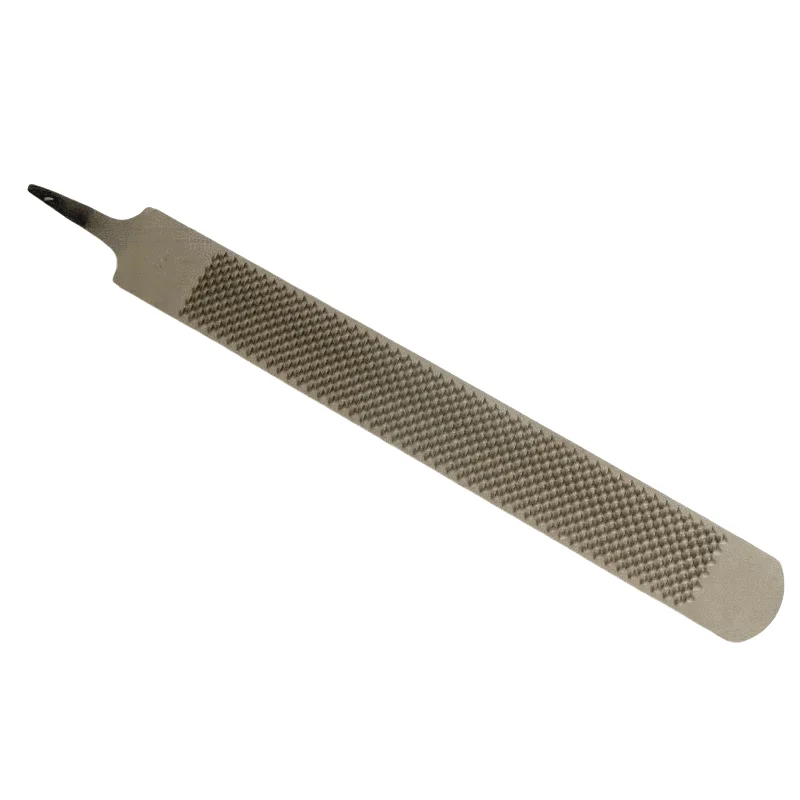
Get the exact T12 model details
Open the listing and carry its model reference into your sample request.
Compare the stainless option
Review the relevant model before setting a grade or hardness requirement.
A Hardness Request Procurement Can Review
Write the material requirement and finished hardness requirement together so the shop, buyer and inspector refer to the same line.
- Test definition
- Specify the method or scale and the acceptance range. Identify the agreed test location and surface condition.
- Sample and batch link
- Ask which sample or order record can carry the measured result and what production reference it relates to.
- Required records
- List material or inspection documents needed for your order. Confirm the available document, scope and timing before release.
Steel Choice, Working Contact and Finish
Use the actual job and storage conditions to decide which features of the sample matter most.
Tooth contact
Check the tooth pattern and coverage at the working location you care about. Typical steel descriptions alone give little information about contact geometry.
Storage and finish
State the desired finish or packaging protection and the handling conditions you need the order to meet.
Fitted assembly
The chosen handle and tang affect clearance and reach. Compare them with the whole tool assembled when that is your purchase configuration.
Save the Accepted Steel and Finish Reference
A reorder review starts with the accepted grade, working cut, test definition and sample condition.
Before the sample
Include the grade or catalogue model, dimensional reference and any required finished test on the request.
During approval
Compare the working faces and finish to the checklist. Record the measurement result and accepted sample revision together.
Before purchase
Confirm any required records and packing with the quote. Keep the approval record available for production and receiving.
Add the Factory View and Finished Checks
The panorama shows the site exterior. The selected model, samples and records set the evidence for steel and inspection.
Open the real factory panorama
See the Relia site and confirmed production scope.
Review tooth cutting and dimensions
Put body dimensions and tooth limits on the same approved reference.
Set finished inspection and packing
Agree the sample, test area and delivery evidence in the order.
Request a Model-Specific Steel and Inspection Plan
Send the chosen listing or drawing, required material and hardness method or range if applicable. Add the lot or sample documents needed for the order.